


Using RabbitMQ on OpenShift
It is time to consider moving your RabbitMQ to OpenShift or at least to a Kubernetes environment. There are many benefits: resource savings, increased operational speed, declarative approach, rapid scaling when needed, security.
Requirements
- You can install RabbitMQ on OpenShift by following the first article RabbitMQ on OpenShift - (Part 1)
- Install RabbitMQ Messaging Topology Operator
Install Topology Operator with OperatorHub
Two methods can be used for installation, the openshift console or via manifest.
Install via Console
- Log in to the OpenShift console
- Click on Operators > OperatorHub on the left menu
- Search RabbitMQ Messaging Topology Operator
- Click on RabbitMQ Messaging Topology Operator, select Manual as Update Approval for production
- Click on Install
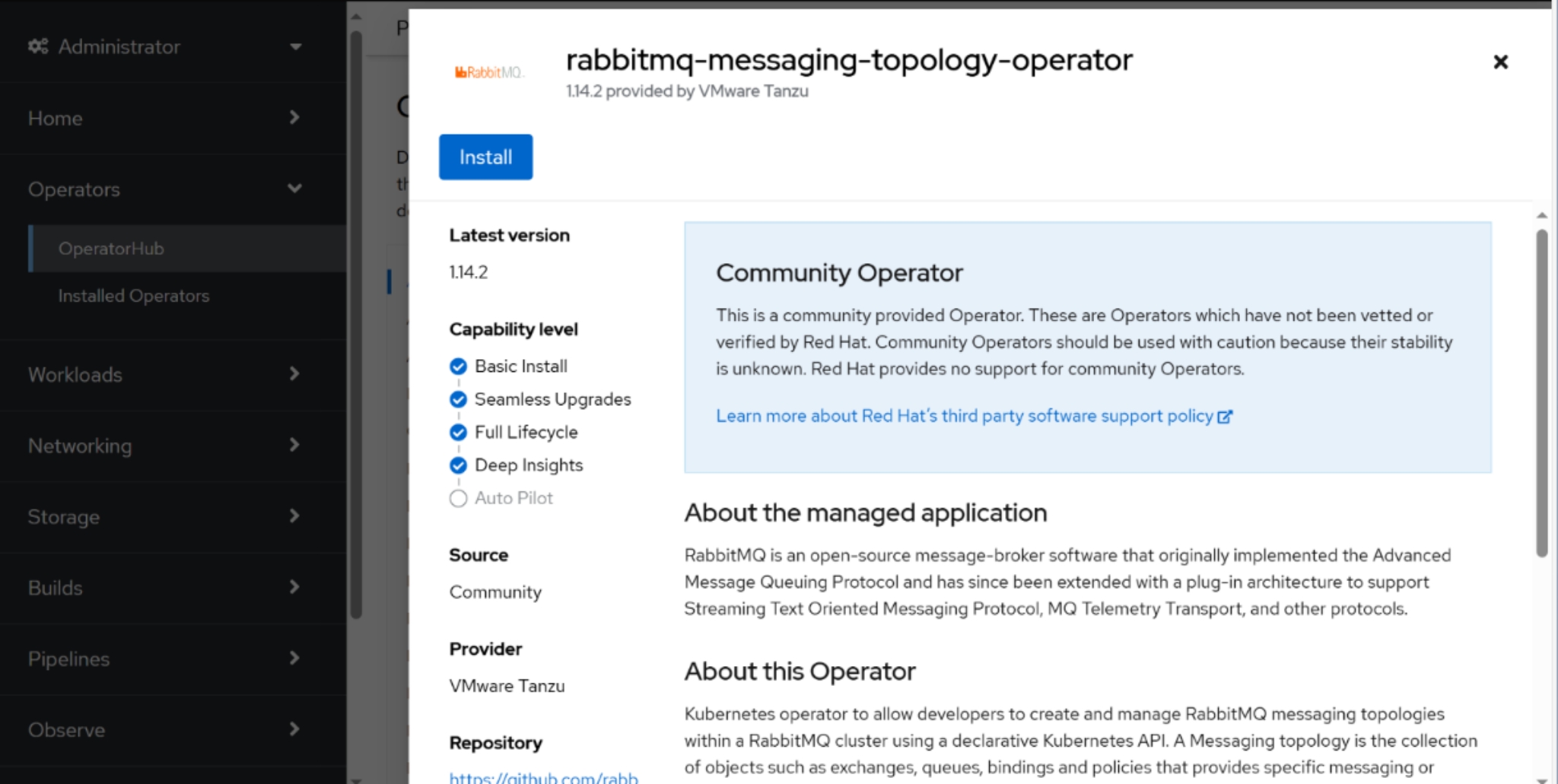
Install via Manifest
- Log in with oc client
- Copy and apply this manifest
- Approve the install plan
For RabbitMQ Messaging Topology Operator apply this:
apiVersion: operators.coreos.com/v1alpha1
kind: Subscription
metadata:
  name: rabbitmq-messaging-topology-operator
  namespace: openshift-operators
spec:
  channel: stable
  installPlanApproval: Manual
  name: rabbitmq-messaging-topology-operator
  source: community-operators
  sourceNamespace: openshift-marketplace
  startingCSV: rabbitmq-messaging-topology-operator.v1.14.2
An install plan has been created but not executed as it has not been approved:
oc get installplan -n openshift-operators

NAME            CSV                                                  APPROVAL APPROVED
install-le23g   rabbitmq-messaging-topology-operator.v1.14.2-xxxxxx  Manual   false
Approve the installation of the operator by updating the approved field of the InstallPlan:
oc patch installplan install-le23g --namespace openshift-operators --type merge --patch '{"spec":{"approved":true}}'
Configure CA certificate 🐑
RabbitMQ Messaging Topology Operator needs to open an SSL connection to RabbitMQ clusters to apply configurations. Retrieve the CA certificate with which RabbitMQ endpoints will be exposed and update the operator’s subscription:
oc create secret generic rabbitmq-ca --from-file=ca.crt=ca.pem -n openshift-operators
oc edit subscription rabbitmq-messaging-topology-operator
Add the following configuration to the subscription:
apiVersion: operators.coreos.com/v1alpha1
kind: Subscription
metadata:
  name: rabbitmq-messaging-topology-operator
  namespace: openshift-operators
spec:
  [...]
  config:
    volumeMounts:
      - mountPath: /etc/ssl/certs/rabbitmq-ca.crt
        name: rabbitmq-ca
        subPath: ca.crt
    volumes:
      - name: rabbitmq-ca
        secret:
          defaultMode: 420
          secretName: rabbitmq-ca
Note
The deployment of the RabbitMQ Messaging Topology Operator requires the CA certificate with which the server certificates used to expose the tenant’s RabbitMQ service have been signed.
The RabbitMQ Messaging Topology Operator connects in SSL to the url declared in the annotation rabbitmq.com/operator-connection-uri:
apiVersion: rabbitmq.com/v1beta1
kind: RabbitmqCluster
metadata:
  name: rabbitmq
  namespace: rabbitmq-cluster
  annotations:
    rabbitmq.com/operator-connection-uri: 'https://mgmt-rabbitmq.apps.<clustername>.<domain>'
This is explained in the first article - Part 1.
Using Topology Operator
With the Topology Operator it is possible to configure: Queue, Policy, Exchange, Binding, Users, Permissions, Vhosts, Federations, Shovel end etc.
Configure Queues
A queue in RabbitMQ is a buffer that stores messages until they are consumed by a consumer. Messages sent by producers are posted to an exchange, which then routes them to one or more queues according to configured routing rules.
apiVersion: rabbitmq.com/v1beta1
kind: Queue
metadata:
  name: firstqueue            # The name of the queue object
  namespace: rabbitmq-cluster
spec:
  durable: true               # The queue will survive broker restarts
  name: firstqueue            # The name of the queue in RabbitMQ
  rabbitmqClusterReference:
    name: rabbitmq            # The name of the RabbitMQ cluster
  type: quorum                # The type of the queue
  vhost: /                    # The name of the vhost for the queue
Info
Quorum queues are optimized for set of use cases where data safety is a top priority. Quorum queues should be considered the default option for a replicated queue type.
Configure Vhosts
In RabbitMQ, virtual hosts (vhosts) are a feature that allows RabbitMQ resources, such as queues, exchanges and permissions, to be separated and isolated within a single broker.
apiVersion: rabbitmq.com/v1beta1
kind: Vhost
metadata:
  name: custom-vhost
  namespace: rabbitmq-cluster
spec:
  name: custom-vhost
  rabbitmqClusterReference:
    name: rabbitmq
After defining a vhost, it is possible to create an associated queue:
apiVersion: rabbitmq.com/v1beta1
kind: Queue
metadata:
  name: secondqueue
  namespace: rabbitmq-cluster
spec:
  durable: true
  name: secondqueue
  rabbitmqClusterReference:
    name: rabbitmq
  type: quorum
  vhost: /custom-vhost  # The name of the custom vhost for the queue
Configure Users
The following manifest will create a user with generated username and password and the generated username and password can be accessed via a Kubernetes secret object:
apiVersion: rabbitmq.com/v1beta1
kind: User
metadata:
  name: user-example          # The name of the user
  namespace: rabbitmq-cluster # The namespace where the user object will be created
spec:
  tags:
  - policymaker               # The tags of the user
  - monitoring                # Other tags are 'management' and 'administrator'
  rabbitmqClusterReference:
    name: rabbitmq            # The name of the RabbitMQ cluster
To get the name of the kubernetes secret object that contains the generated username and password, run the following command:
oc get users user-example -o jsonpath='{.status.credentials.name}' -n rabbitmq-cluster
A username and password can be specified within one’s own secret and configured in this way to the user object:
  importCredentialsSecret:
    name: my-rabbit-user      # name of the secret